Heavy Plant Crossing - A Photographic pun
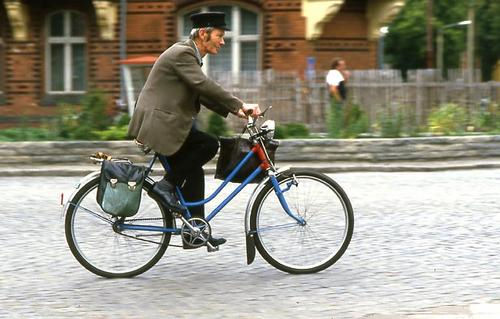
Back in May 2007 while out walking at South Ockendon, Essex I came across this unusual sign. At the time I was using PaintShop Pro as a photo editor and couldn't resist a little tweaking. Click the picture to see the change.
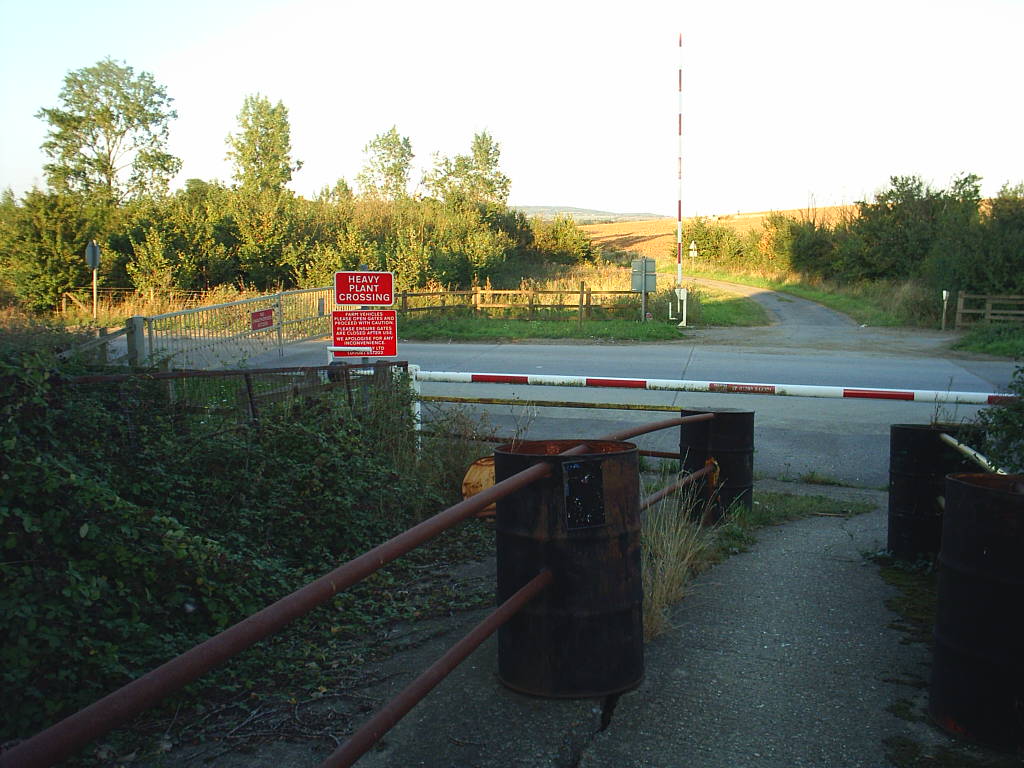
It took me a while to get things just right using a photo editor but today things are much simpler using an AI. Here's the two methods compared.
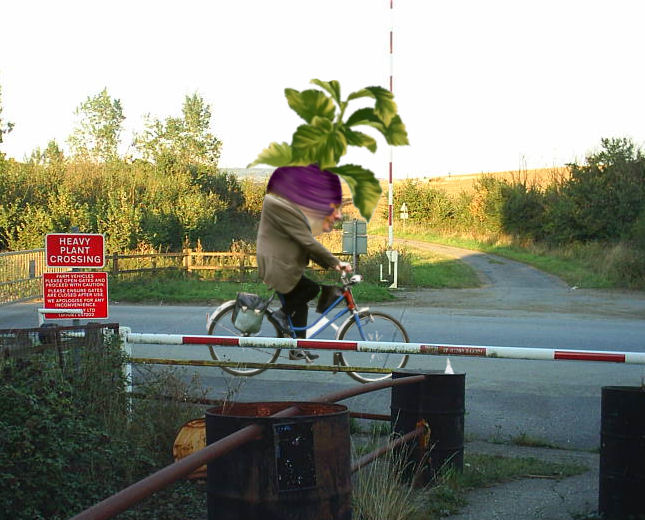
The original method
Back in the day, creating this visual pun required a photo editor with layer support, like Corel PaintShop Pro or Affinity Photo, and a bit of patience.
- Base Canvas: Open crossing.jpg in your photo editor to serve as your background. I'm using PaintShop Pro from Corel.
- Select the barrier and promote it to a new layer. Include the pipes and drum in this layer.
- Search for a suitable cyclist picture to add and modify.
- Search for a picture of a large root vegetable such as a turnip.
I found a suitable Bike1.jpg and turnip.jpg
- Extract the Cyclist: Open
Bike1.jpg. Use a Smart Selection Brush to carefully cut out the man and the bicycle. This is probably the most difficult step since we must remove areas within the wheels yet leave an impression of the spokes. Adding a final Selection > Modify > Feather of 1 pixel helps. Paste this as a New Layer onto the crossing background, scale and rotate it so the tires sit on the tarmac. This layer should fit under the barrier layer.
- Select the cyclist's jacket and paste it as a new layer under the barrier layer.
- Plant the Head: Open
turnip.jpg, select the vegetable, and paste it as a new layer above the cyclist and below the cyclist's jacket and barrier. Resize it to obscure his original head and shoulders. Add a slight clockwise rotation
- Using the photo editor's warp tools warp the jacket top to partially cover the turnip.
- Add the face: Above the turnip layer, past as a new layer a copy of the face features from the cyclist layer using a feathered selection, and use a soft-edged Eraser at a low opacity to blend the skin into the purple turnip.You'll probably have to resize the layer and change its angle.
- Final Polish: Adjust the brightness and contrast of the layers to match the background lighting, then flatten and save!
The 'easy' AI method
Today, you can skip the manual masking entirely. Simply feed a descriptive prompt and the original background image to an AI image generator to get a near-instant result.
Try copying and pasting this prompt into your favorite AI tool:
"Starting with this photograph of a rural crossing with a red warning sign reading 'HEAVY PLANT CROSSING'. A cyclist in a brown jacket is riding a blue bicycle past the crossing barriers. Instead of a human head, the cyclist has a giant, leafy purple turnip with a subtle human face blended into the root vegetable."
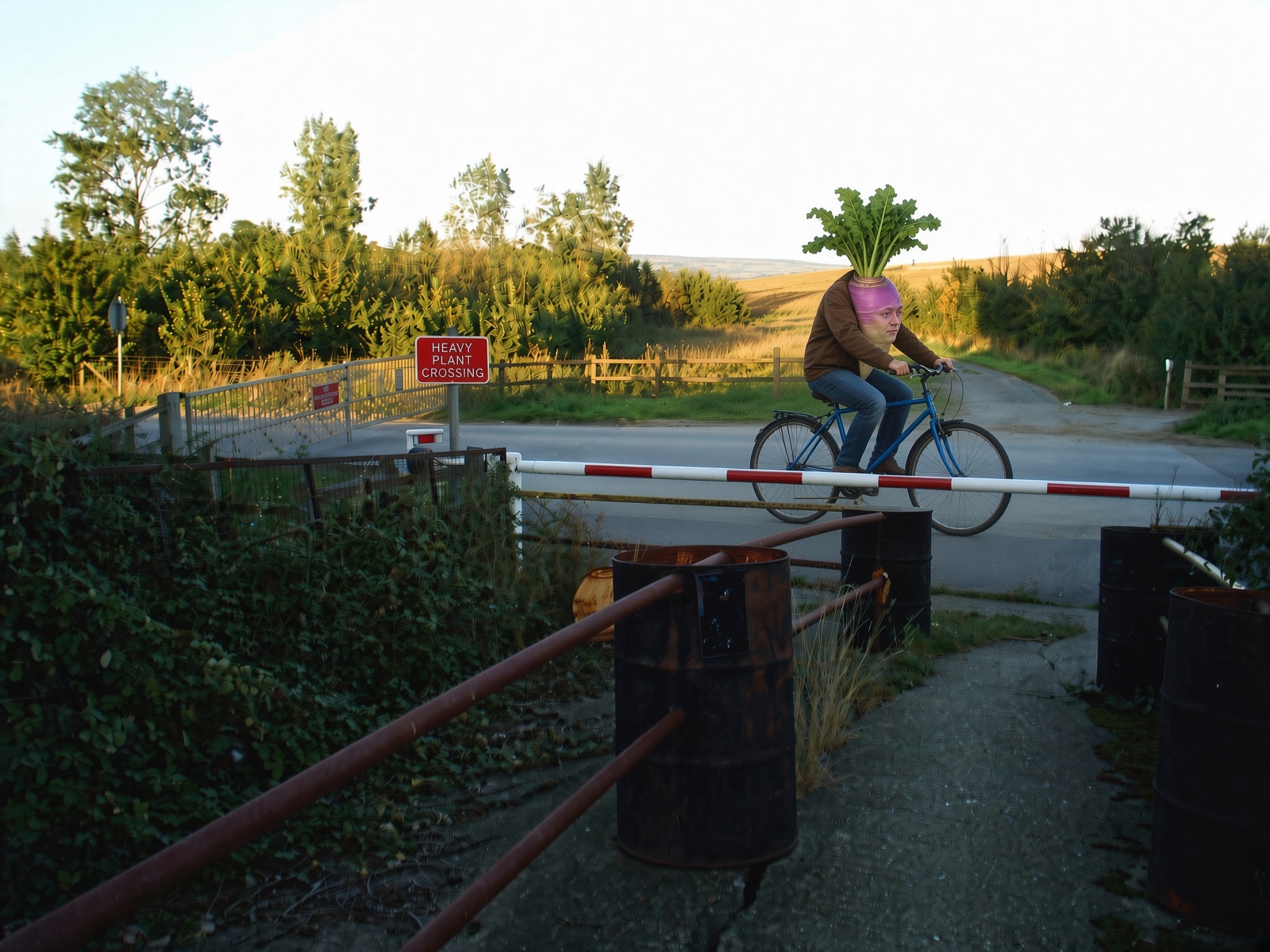
Except it isn't 'simple.' Here's the result.
Prompt Development & Failure Analysis: The first AI attempts (seen in the image stream) showed the turnip as too small and the face too obvious. Worse, the AI failed to understand spatial positioning. It put the cyclist on the near side of the barrier pole, and often moving toward the viewer rather than crossing. It didn't understand that 'crossing' meant a side-on view, or that 'behind the barrier' meant the far side from the viewer.
The Final Engineered Prompt: A completely refined prompt was required to clarify spatial and directional terms:
"Starting with this photograph of a rural crossing (image_1.png). A cyclist in a brown jacket is riding a blue bicycle past the barriers. **Crucially, the cyclist is on the road, positioned beyond the red and white level crossing barrier pole which is between the viewer and the cyclist.** The view must be a distinct side-profile, moving left-to-right along the road. Instead of a human head, neck and upper body, the cyclist has a giant, leafy purple turnip with extensive leafy greens, growing directly from under his jacket collar. A photorealistic, yet subtle human face (the profile matching the orientation) is organically integrated into the skin of the turnip root, looking like natural growth. The turnip is massive, emphasizing the 'Heavy Plant' pun. All sign text remains perfect."
The Verdict: It took significant prompt iteration and specific engineering of the spatial constraints, but the final comparison result successfully integrates the subtle face and correctly places the entire cyclist on the other side of the level crossing barrier.
 Click image to zoom in / out